University Affirmative Consent Policy
Policy Number: #200
Responsible Executive(s):
- Provost
Responsible Office(s):
- Office of the Registrar
Date Adopted: 12-01-2020
Date Revised: 02-09-2026
A. Purpose
Regis University acknowledges that each student has the responsibility to register for each academic term, and that Regis shall not automatically register, drop or withdraw a student without the student’s affirmative consent for such action or for the chance to cancel any registration before the student is charged tuition and fees for that academic term. This policy is in response to the Higher Learning Commission’s 2019 Recruiting, Admissions and Related Institutional Practices Policy (Number: CRRT.C.10.010).
B. Scope
- This Policy applies to all University Students, Faculty, and Staff.
C. Policy
- The Higher Learning Commission adopted new policies effective Fall 2019 regarding Student Consumer Protection. The Policy Title is Recruiting, Admissions and Related Institutional Practices and it outlines several requirements in these practices. One of the practices is regarding registration:
- "Students will have the right and responsibility to register for each academic term in which they are enrolled, and in no case will the institution automatically register a student in the term without that student's affirmative consent to such registration or the opportunity for the student to cancel that registration before the student is assessed tuition or fees for that term."
- To be eligible to participate:
- Enrollment Agreement - All students must self-register and complete the Enrollment Agreement. By doing so, the student meets Regis University Enrollment guidelines.
- All students sign an Enrollment Agreement as part of the application process. If a new version is released, the student can fill out the updated Enrollment Agreement by going to Ranger Portal and submitting the agreement. In specific cases when a student is unable to self-register (cohorts, cancelled courses, etc.) an Affirmative Consent Form must also be received before completion of the registration changes.
- In specific cases when a student is unable to self-register (cohorts, cancelled courses, etc.) a Registration Affirmative Consent Form must also be received before completion of the registration changes.
- Before anyone at Regis can change a student’s registration/schedule, a Registration Affirmative Consent form must be received by the Office of the Registrar. The online Affirmative Consent Form is located on the Office of the Registrar Menu on Ranger Portal and must be completed for the term in which the student is requesting manual registration.
- Enrollment Agreement - All students must self-register and complete the Enrollment Agreement. By doing so, the student meets Regis University Enrollment guidelines.
- Starting in fall 2019, for any staff or faculty to register students, two forms must be completed prior to registering them.
- Enrollment Agreement - Faculty and staff can see that the student has completed the Enrollment Agreement by checking AGRV in Colleague. If the student has completed the process successfully it will have dates populated as in screen shot under Reference Photos (Reference Photos a and b).
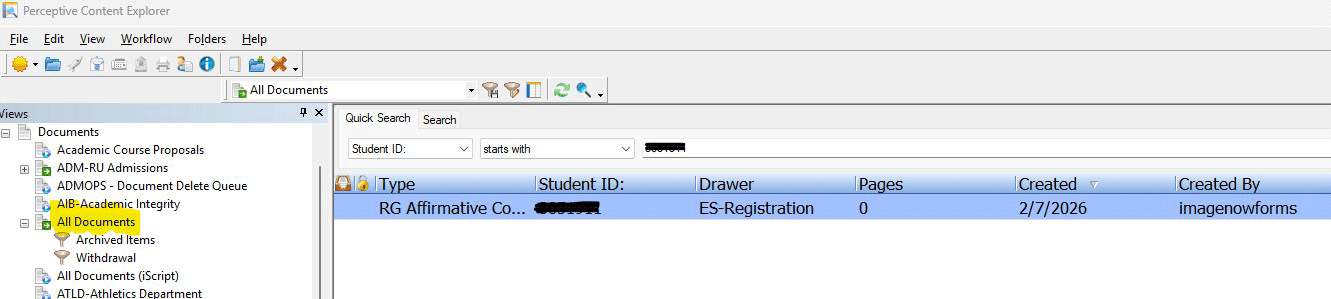
- Registration Affirmative Consent Form - The Registration Affirmative Consent Form is available in Ranger Portal (Reference Photos c and d). Faculty and staff can check ImageNow under All Documents searching by the student’s ID number. Only once both an Enrollment Agreement and a Registration Affirmative Consent Form is verified can a Regis faculty or staff member register a student (Reference Photo e).
D. Definitions
- Enrollment Agreement: Enrollment Agreement is a document the student signs at the time of application or before a registration period to acknowledge the process and procedures of completing financial business and registration/dropping/withdrawing from courses.
- Affirmative Consent: The University shall not register, drop or withdraw a student in a term without the student’s affirmative consent to such registration or the opportunity for the student to cancel that registration before the student is assessed tuitions and fees for that term.
E. Related Policies, Procedures, Forms and Other Resources
Reference Photos:
a. 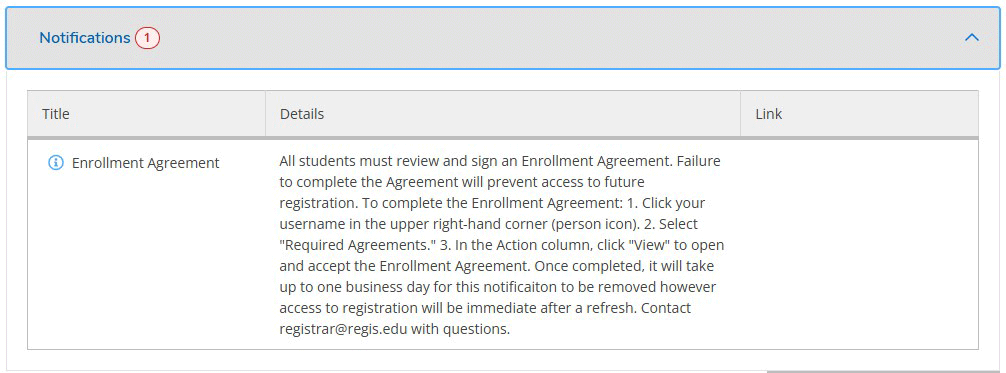
b. 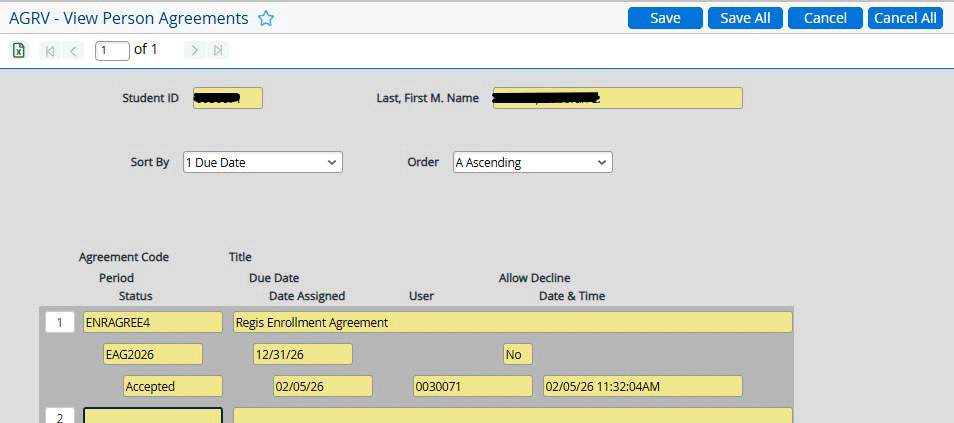
c. 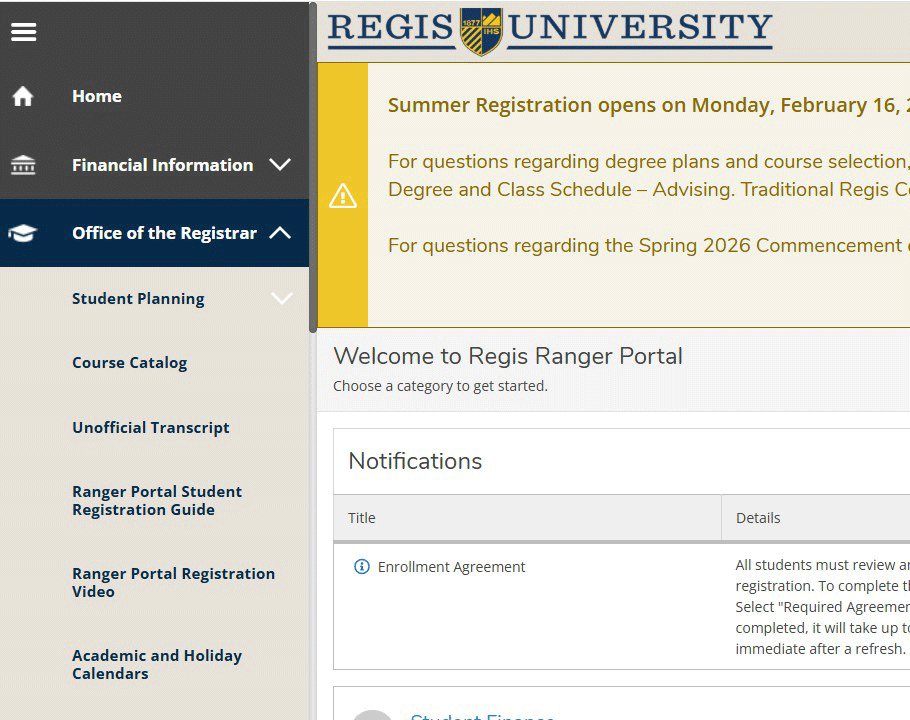
d. 
e.